

From intent to implementation-ready spec
Codebase-grounded chat, custom reports, and JIRA/Linear enrichment. Every answer references source — every spec is anchored in how your system actually works.
Looking for the MCP server that lowers token spend on your coding agent? See /mcp →
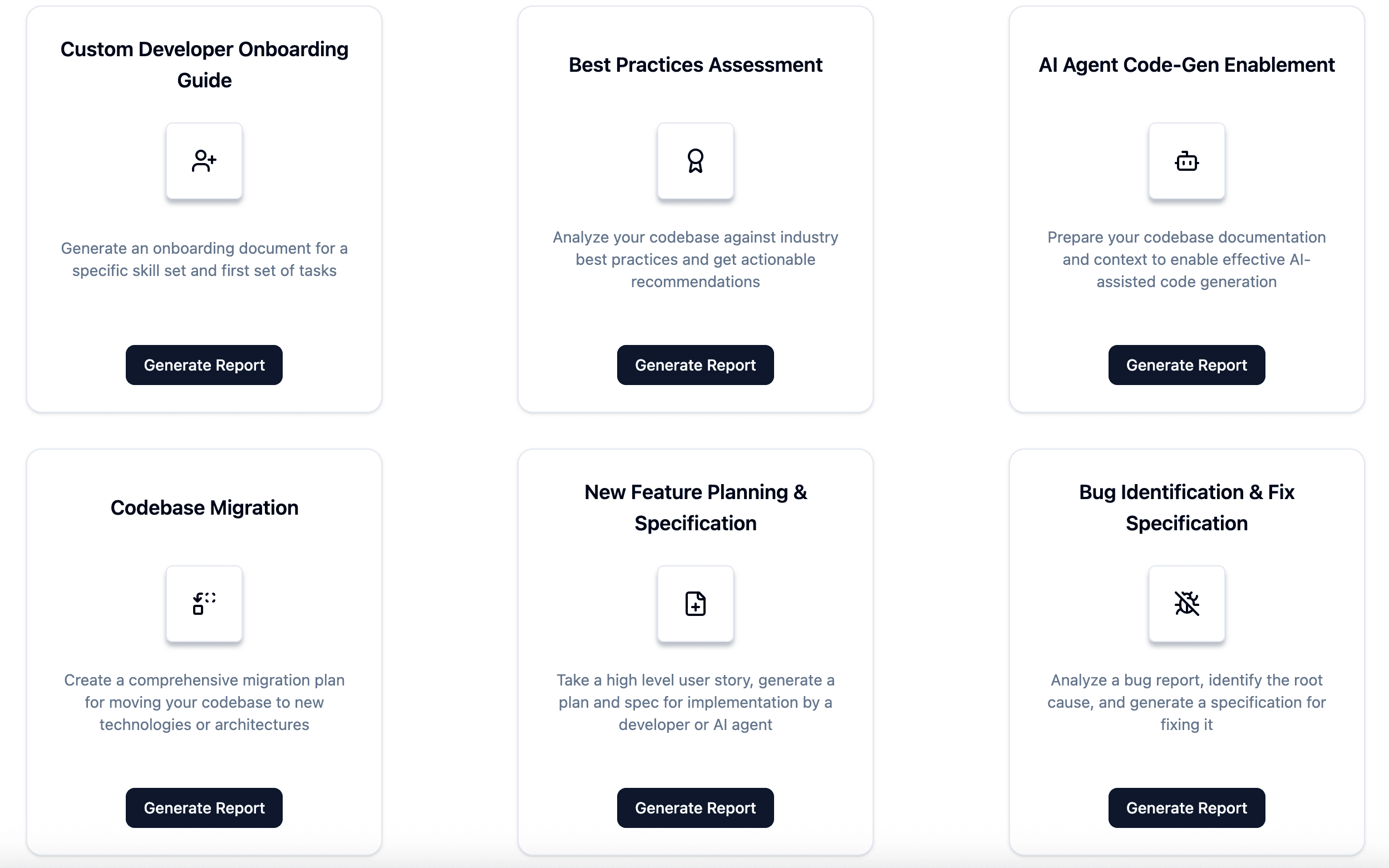
Custom Reports & Planning
Purpose-built analyses tailored to your specific initiative — migrations, feature planning, compliance mapping, and more.
Available Report Recipes
- Codebase Migration Assessment
- Custom Onboarding Document
- New Feature Planning
- Regulatory Compliance Mapping (GDPR, HIPAA, SOC 2)
- Dependency Upgrade Impact
- Module Extraction Analysis
“Migration from React 17 to 18 affects 142 components; 89% are compatible, 12 require Suspense boundary additions, and 3 rely on deprecated lifecycle methods.”
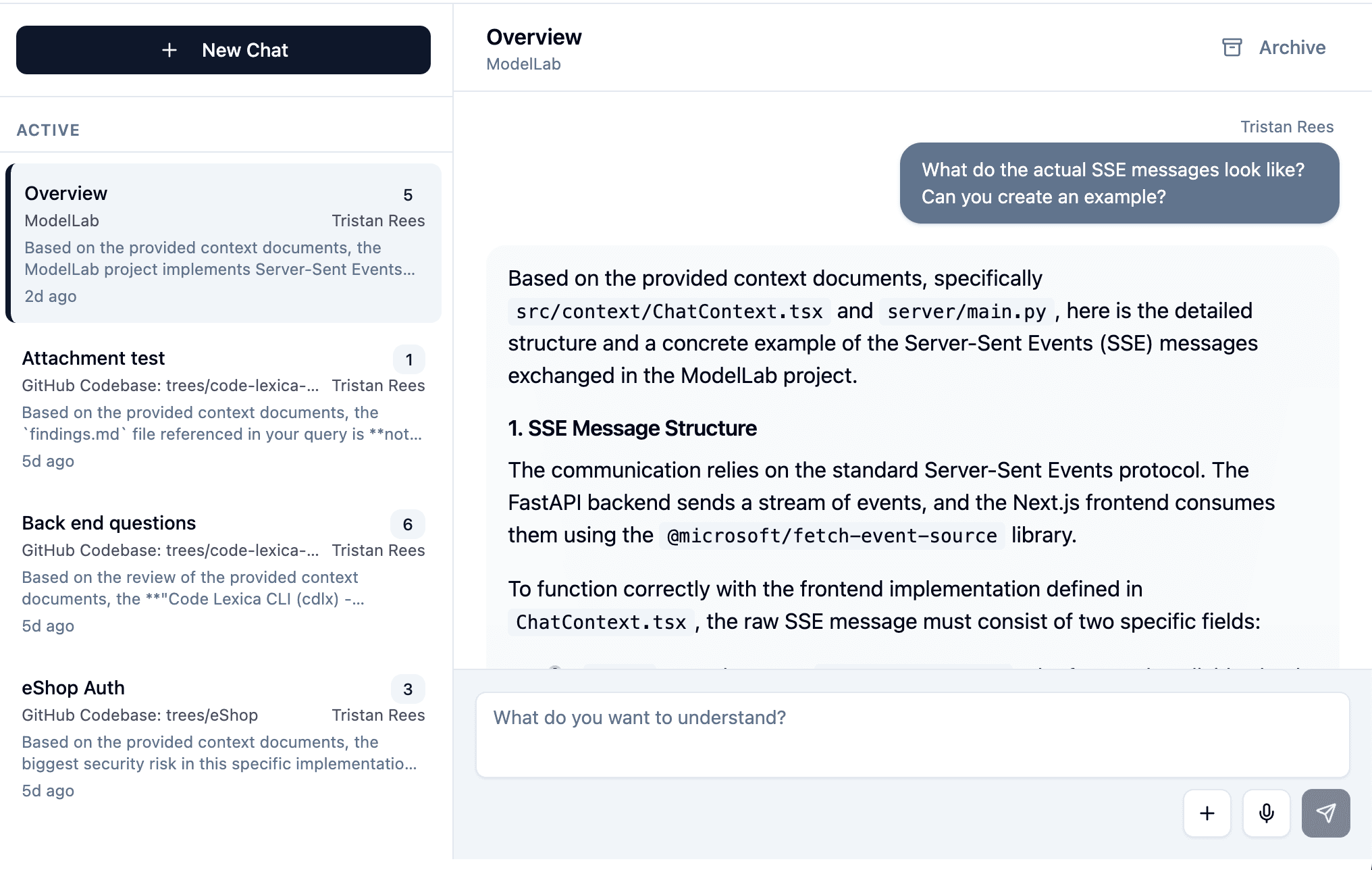
Interactive Codebase Chat
Ask questions about your codebase and get instant, context-aware answers backed by deep code analysis. Every answer traces back to source — no hallucination.
What you can ask
- “How does the authentication flow handle expired tokens?”
- “Where is the logic that calculates shipping costs?”
- “What components would be affected if I changed the Order schema?”
- “Write a spec for a new endpoint following our existing patterns”
JIRA & Linear Integration
Enrich tickets directly in your backlog with context-aware specs, implementation plans, and AI-ready prompts.
What gets added to tickets
- Context-aware PRD/spec with acceptance criteria
- Technical implementation plan with affected modules
- Impact & risk analysis with dependency mapping
- Testing plan with suggested unit/integration/e2e tests
- AI-ready prompts tailored for coding agents
Click on any ticket to generate a structured PRD with technical plan and acceptance criteria.
Auto-draft specs, effort estimates, and dependency analysis for upcoming sprint items.
Get an AI-ready prompt pack with constraints, examples, and relevant files for coding agents.
Automatically generate "what changed" notes and update architecture documentation.
// JIRA Ticket: PLAT-1234
// Status: Backlog

Title: "Improve checkout performance"

Description:
  "Checkout is slow. Please fix."

Acceptance Criteria:
  (none)

Estimate:
(none)// JIRA Ticket: PLAT-1234 (Enriched)
{
"title": "Optimize checkout API latency",
"impact_analysis": {
"services": ["OrderService",
"PaymentGateway", "InventoryCache"],
"files_affected": 14,
"risk": "medium"
},
"acceptance_criteria": [
"P95 latency < 200ms (from 800ms)",
"Zero increase in error rate",
"Cart abandonment rate stable"
],
"implementation_plan": [
"Add Redis cache for inventory",
"Parallelize payment + inventory",
"Add connection pooling"
],
"testing_plan": [
"Load test: 1000 concurrent",
"Integration: payment retry flow",
"E2E: full checkout journey"
],
"estimated_effort": "3-5 days",
"ai_prompt_pack": "available"
}Built for the teams that translate intent into code
Developers
Using Cursor, VS Code agents, Claude Code
Platform teams
Standardizing AI-assisted development
Tech leads
Enforcing architectural and coding standards
Consultancies
Delivering across multiple client codebases
Plan with confidence. Ship with clarity.
Turn product intent into implementation-ready work — grounded in your actual codebase.